ChatGPT
Structured the ten-category screen, developed successive versions and shaped the reader-first result.
A SyncLogic + GovAIaaS audit function
Audit It by AI helps you see what is wrong or unclear in an AI output, what is missing, and what to ask next—before you rely on it.
How v3.2 came about
AUDIT-PS-PROMPT-001 v3.2 emerged through an iterative Build and test process involving ChatGPT, Claude, Grok and Gemini. This was multi-model development, not independent certification.
Structured the ten-category screen, developed successive versions and shaped the reader-first result.
Formalised the specification and revision history so design decisions and boundaries were explicit.
Exposed duplicated findings, prescriptive drift and omission of the mandatory limitation.
Provided a contrasting AI-output environment for source, scope, authority and evidence-gap testing.
An AI can apply the screen to another AI output—or its own output in a separated pass. That is AI-assisted self-audit, not independent assurance or Permission-to-Rely.
The SyncLogic view
Build, Audit and Govern are related, but they are not interchangeable. Keeping them separate is how AI reasoning becomes inspectable—and how reliance decisions stay explicit.
Structures the task, context, logic and output the AI is asked to produce.
Surfaces visible problems, possible problems and evidence gaps in the supplied output.
Sets the authority, conditions, pathways and Permission-to-Rely boundaries.
The full separation model
One AI can perform all three functions—provided Build, Audit and Govern are explicitly isolated.
Open full-size infographic ↗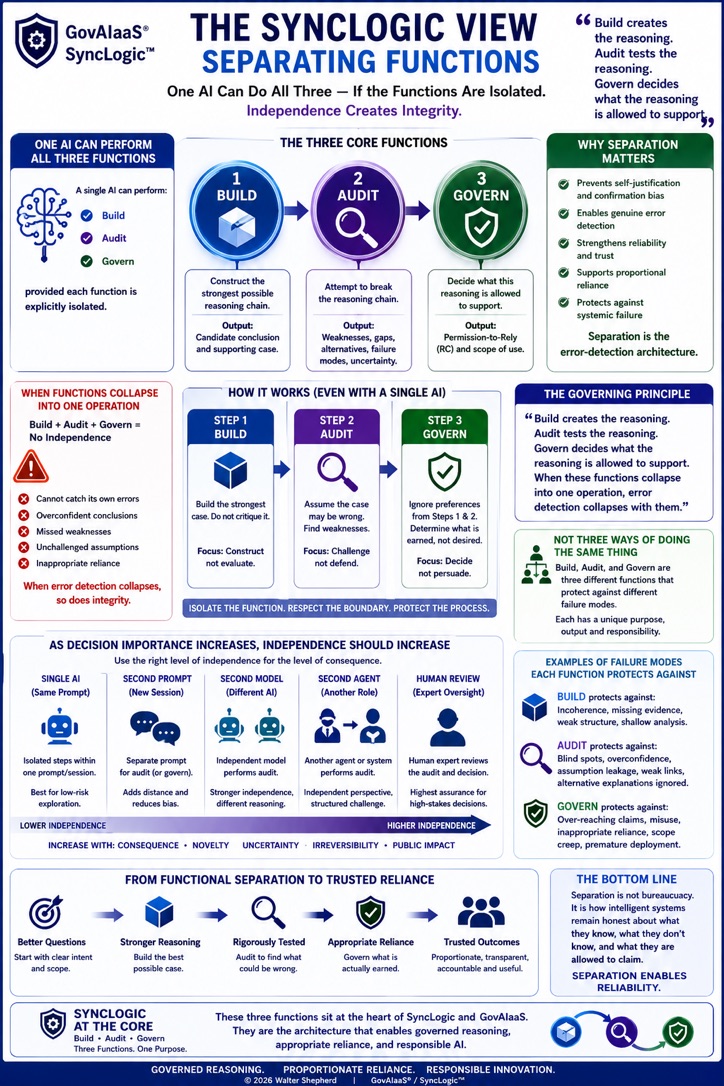
The Preliminary Screen
The screen examines only the output and context you supply. It checks ten problem categories internally, but reports only actual findings.
Visual overview
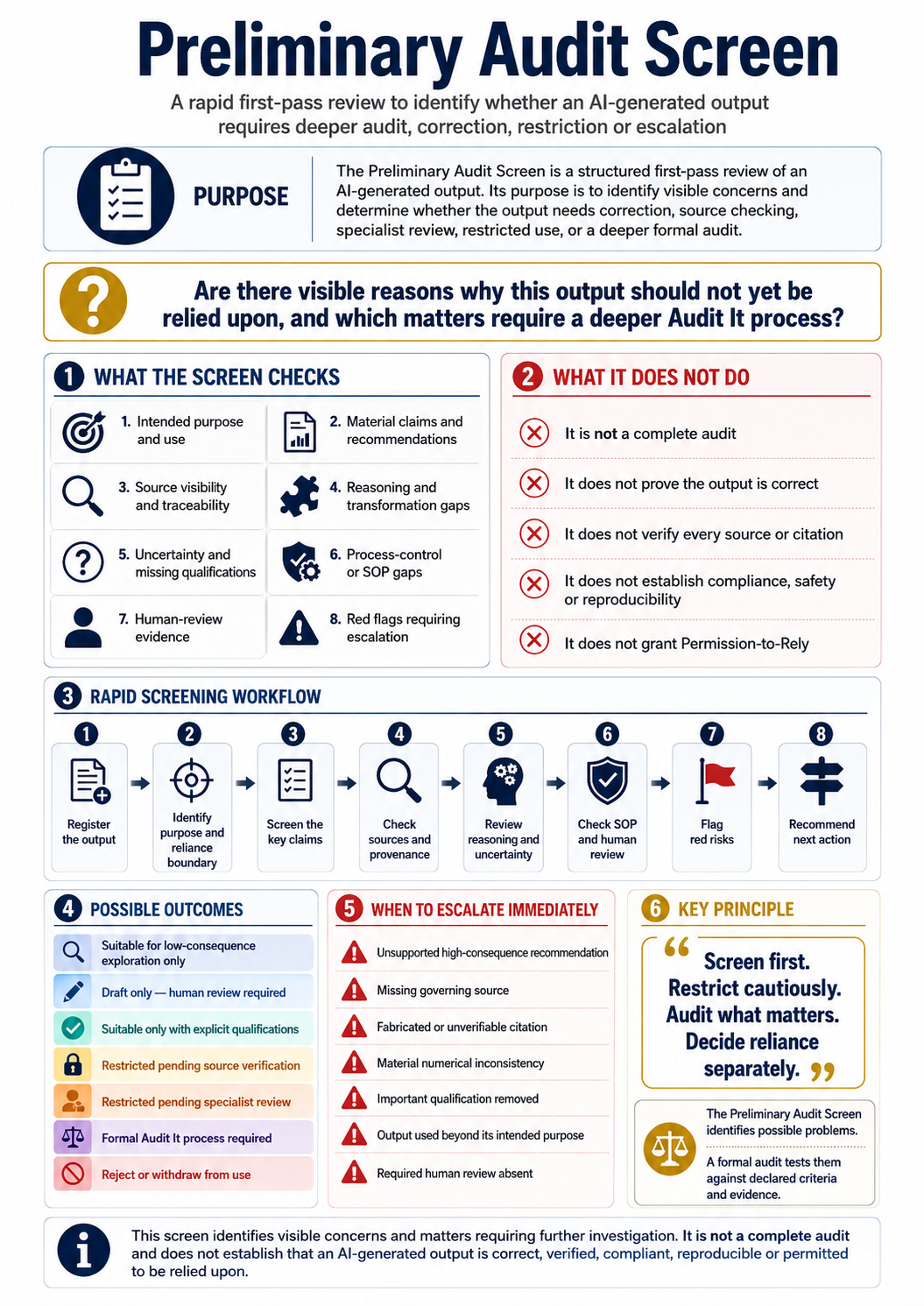
How it works
Copy the complete locked prompt below.
Add the full output, purpose, sources, original prompt and consequences.
Receive findings, gaps, follow-up questions and one bottom line.
The wider pathway
Work backwards from one real AI-generated output to make its claims, sources, transformations, instructions, review and actual use visible.
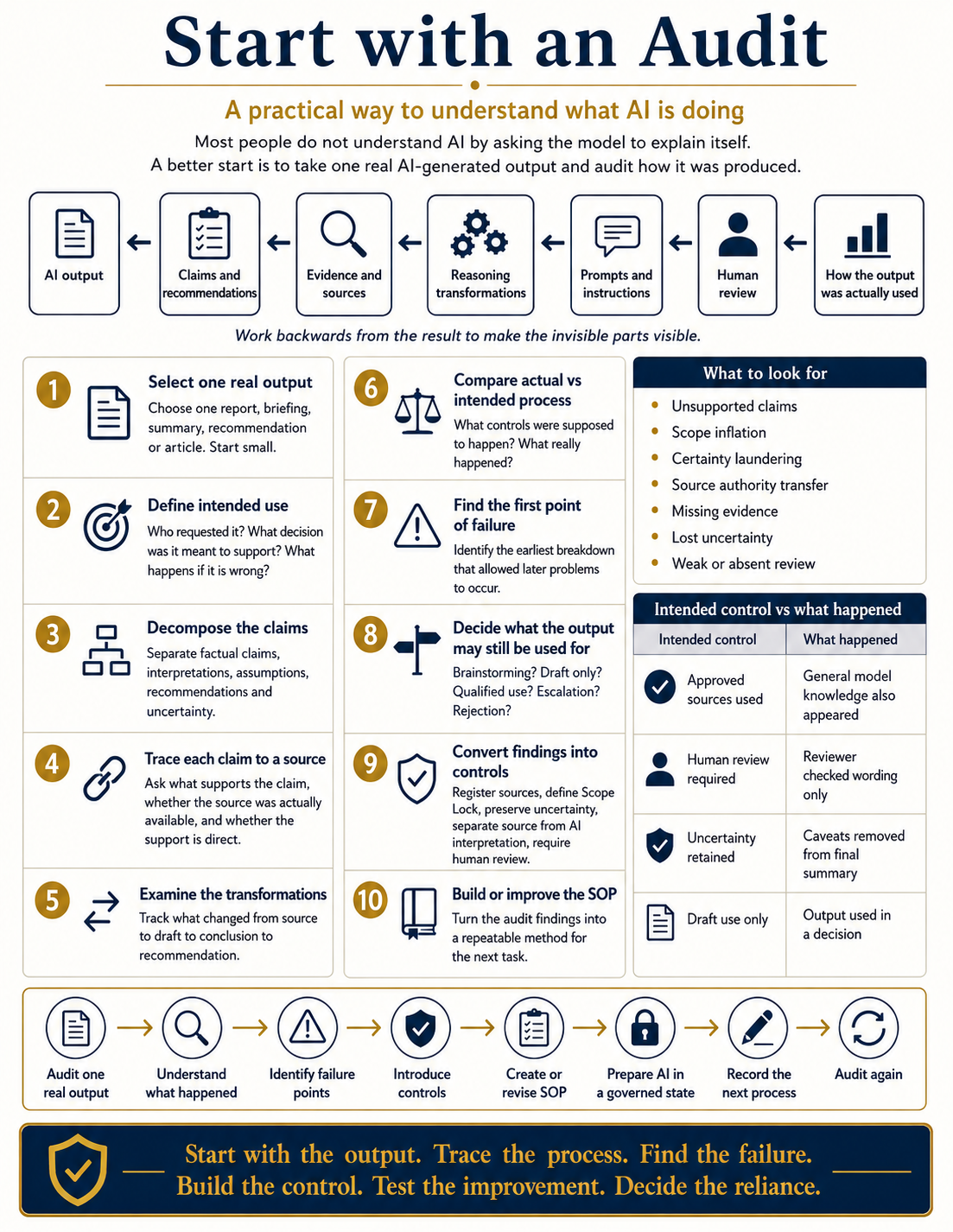
The locked prompt identifies problems, evidence gaps and questions to ask next. The later control, SOP, improvement and reliance decisions shown in this infographic sit outside the Preliminary Screen.
Start Screen
You are conducting an Audit It by AI — Preliminary Screen.
Quickly show what's wrong or unclear in the AI output supplied below, what's missing, and what to ask the AI that produced it next. Do not verify facts against outside sources, design a fix, or recommend controls.
Boundaries:
* Assess only the output and context actually supplied below.
* Never search outside sources to check accuracy — flag missing support instead.
* Never invent sources, prompts, approvals, or reviews.
* Never recommend a fix, tool, SOP, or control.
* If something can't be judged from what's supplied, say so rather than guessing.
* Internally check all ten problem categories — purpose/use, sources, evidence, claims, reasoning transformations, uncertainty, process/records, human review, authority/reliance, evidence availability — but only surface the ones with an actual finding. Don't pad the report with "no problem" entries for every category.
Authority-and-scope check: for medical, legal, financial, regulatory, or other consequential material, check whether the output could reasonably be mistaken for personalised professional advice, and whether the limits of its authority, scope, or intended use are stated. Surface this only when the output is prescriptive or consequential enough to create an actual finding — don't raise it on every output, and never turn it into a recommendation to consult a specific professional, follow a specific pathway, or take a specific action. Name the missing boundary, not the fix for it.
Respond in exactly this structure:
1. Preliminary Problem Findings Numbered, most significant first. Each one: the issue in plain language, why it matters in one line, and a status tag — Visible / Possible / Uncertain. Merge findings that share the same underlying pattern into one entry with examples rather than repeating the same problem type. Aim for the shortest list that still covers every distinct problem type.
1a. Root Issue (if one is visible) One sentence, optional. If the findings above trace back to a single originating line or framing choice in the output, quote or closely paraphrase it here. This is a textual observation about where the problem starts in the wording — not an investigation into why it happened. If no single originating point is visible, say so.
2. Gaps What's missing that would help judge this output more fully. One line each: what's missing → what question it would answer.
3. Questions to Ask the AI Concrete follow-up prompts I can paste straight back into whatever produced this output — asking it to show sources, state scope, flag confidence, or surface assumptions. Information-seeking only — never a request to fix, rewrite, or improve anything. Note that any answer the AI gives to these questions remains unverified — record what it says, don't treat it as established.
4. Bottom Line One line: No Visible Problem Identified / Possible Problem / Visible Problem / Unable to Determine — plus the one-sentence reason why.
5. Limitation Statement End with, verbatim, exactly as written, nothing after it:
"This screen identifies problems and gaps in the output supplied. It does not establish accuracy, root cause, compliance, or Permission-to-Rely, and it does not prescribe a fix."

AI output to screen: [PASTE THE FULL OUTPUT HERE]
Purpose / intended use: [OR "NOT PROVIDED"]
Sources used: [OR "NOT PROVIDED"]
Prompt or instructions used to generate it: [OR "NOT PROVIDED"]
How it will be used / consequences if wrong: [OR "NOT PROVIDED"]
Previously
My working life in pathology laboratories and IVD supply was built around systems that were identified, traceable, controlled, reviewed and capable of producing reproducible results.
Later use of AI and large language models exposed a sharp contrast: fluent answers could be produced without a visible source trail, a reproducible process or a defined basis for reliance.
Visual origin story
Why fluent AI output does not automatically inherit the traceability, quality control, reproducibility or accountability expected in laboratory systems.
Open full-size infographic ↗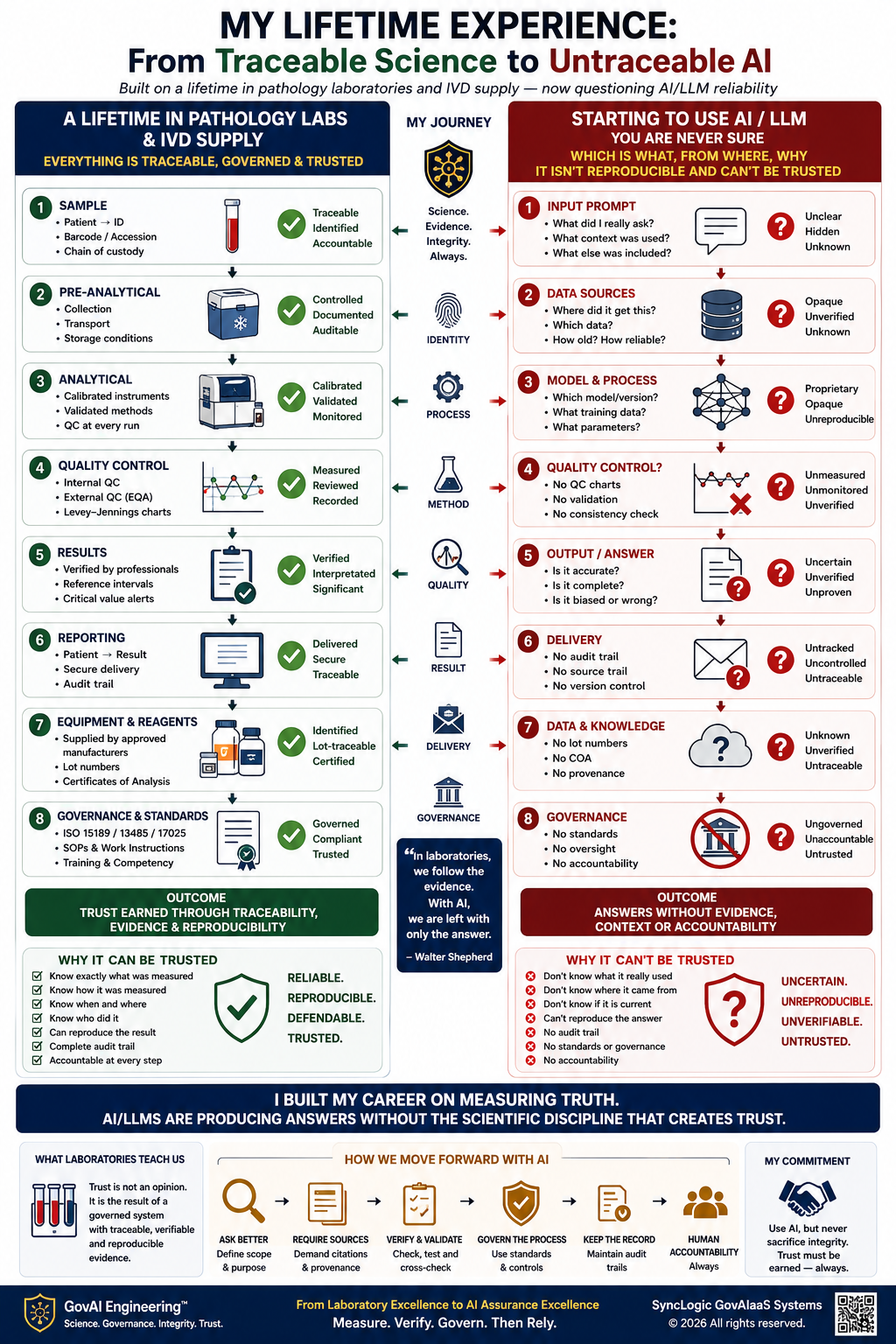
Permission-to-Rely
The Preliminary Screen identifies visible concerns and gaps. It does not establish accuracy, root cause, compliance, professional authority or Permission-to-Rely—and it does not prescribe a fix.
FAQ
No. It flags missing support from the supplied material and never searches outside sources to verify accuracy.
No. It only means no problem was visible from what was supplied. It does not establish accuracy or Permission-to-Rely.
It can screen medical, legal, financial, regulatory or other consequential output for visible problems and missing authority or scope boundaries. It does not provide professional advice or authorise reliance.
Development tests were completed across versions v1.0–v3.1 using multiple AI outputs and more than one model. v3.2 is the Candidate Locked Version. This is not independent certification.